Leaving VMware?
Move the VM, not the weekend
EnvMap moves virtual machines between VMware ESXi and Proxmox VE, in either direction. A running Linux VM keeps running while its disks and memory are copied. A powered-off VM is moved by its disks and never started. Free-licence ESXi works too.
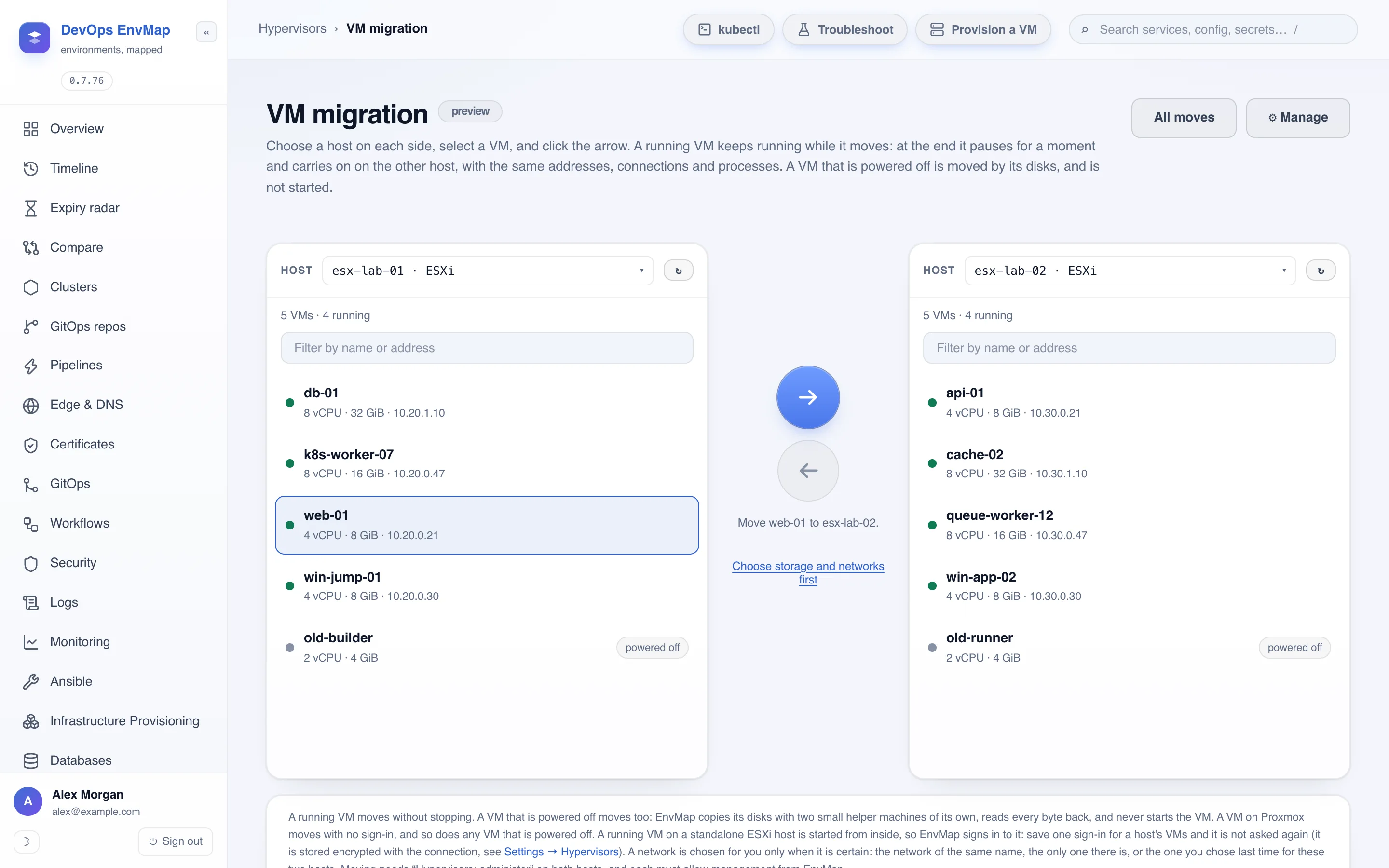
Choose a host on each side, select a VM, click the arrow.
Watch it cross
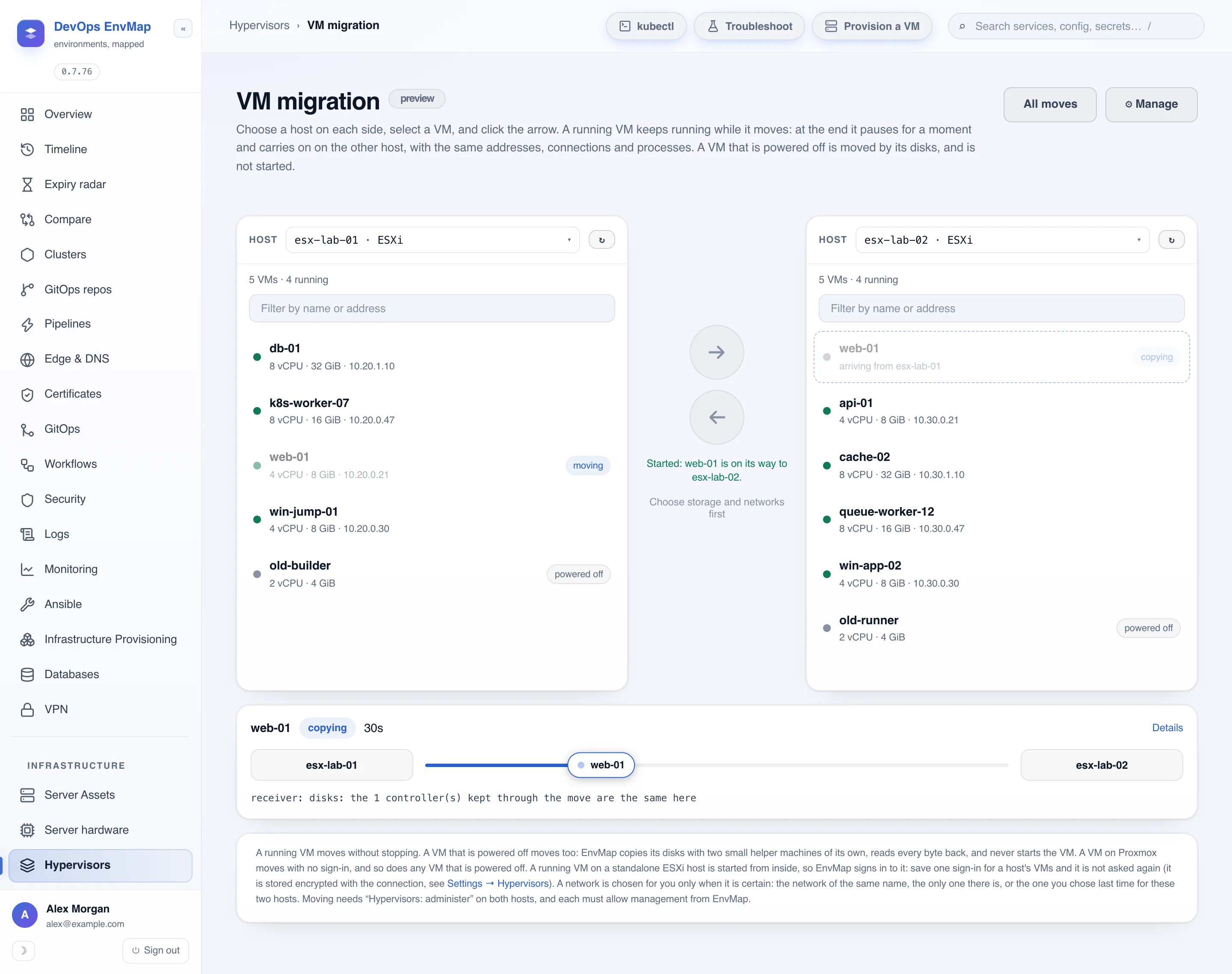
The VM is shown leaving one list and arriving in the other, with a track between the two hosts. Each move has its own page with every step and how long it took.
- A network card whose network the other host does not have is asked about once, and remembered for that pair of hosts.
- A production hypervisor asks for the VM's name before it moves.
- At most three moves run at once, and one at a time per VM.

Nothing hidden in the middle
Every step of a move is written down as it happens: the new VM created, the transfer card added, the disks and memory copied, the last changes crossing, the system running on the new host.
The transfer goes over link-local addresses on the VM's own network by default, so nothing on your network is asked for an address, and the old copy's cards are taken away before the new one uses its own.
Before you trust it with production
- It is a preview. The engine was tested in a lab that gives each VM the hardware ESXi and Proxmox give their guests: Debian 13, Ubuntu 24.04, AlmaLinux 10 and CentOS 7, BIOS and UEFI, in both directions. A complete move has not yet been seen on a real host: the first, between two ESXi 8.0.3 hosts, was refused by its own check before anything froze, and the next release fixed what it found. Try it first on a VM you can afford to restart.
- A running system cannot give up processor features. Onto an older processor between two licensed ESXi hosts, EnvMap restarts the VM once with the missing features hidden (like vMotion's EVC), then moves it while it runs; or it moves powered off. A complete move after that restart has not been seen on a real host yet.
- A running VM must be Linux on x86-64. A powered-off VM is copied disk by disk whatever runs on it, but across hypervisors it may need the driver for its new disk controller at the first start. Which systems carry it.
- Between ESXi and Proxmox the disk controllers change type, so a running VM's root filesystem must be on LVM.
- The guest needs VMware Tools on ESXi, or the QEMU guest agent on Proxmox. Secure Boot usually locks the kernel and the move is then refused.
- A vCenter stays read-only: both sides must be a standalone ESXi host or Proxmox VE.
- Devices of the host (PCI passthrough, USB) and a TPM's contents do not move, and a running VM with ESXi snapshots is refused. The check says so before anything is made.
The full list is in What you need. If it refuses your VM, it says why in words. How it compares with Proxmox's own importer, and what the lab showed: the article.
Try it on two lab hosts
Install EnvMap, add an ESXi host and a Proxmox node under Hypervisors, allow management on both, and move a VM you can afford to lose.
curl -fsSLO \
  https://raw.githubusercontent.com/ammar-hassoun/envmap/main/deploy/compose/compose.yaml
docker compose up -dhelm install envmap oci://ghcr.io/ammar-hassoun/devops-portal-charts/config-portal \
--namespace envmap --create-namespace